
Table of Contents
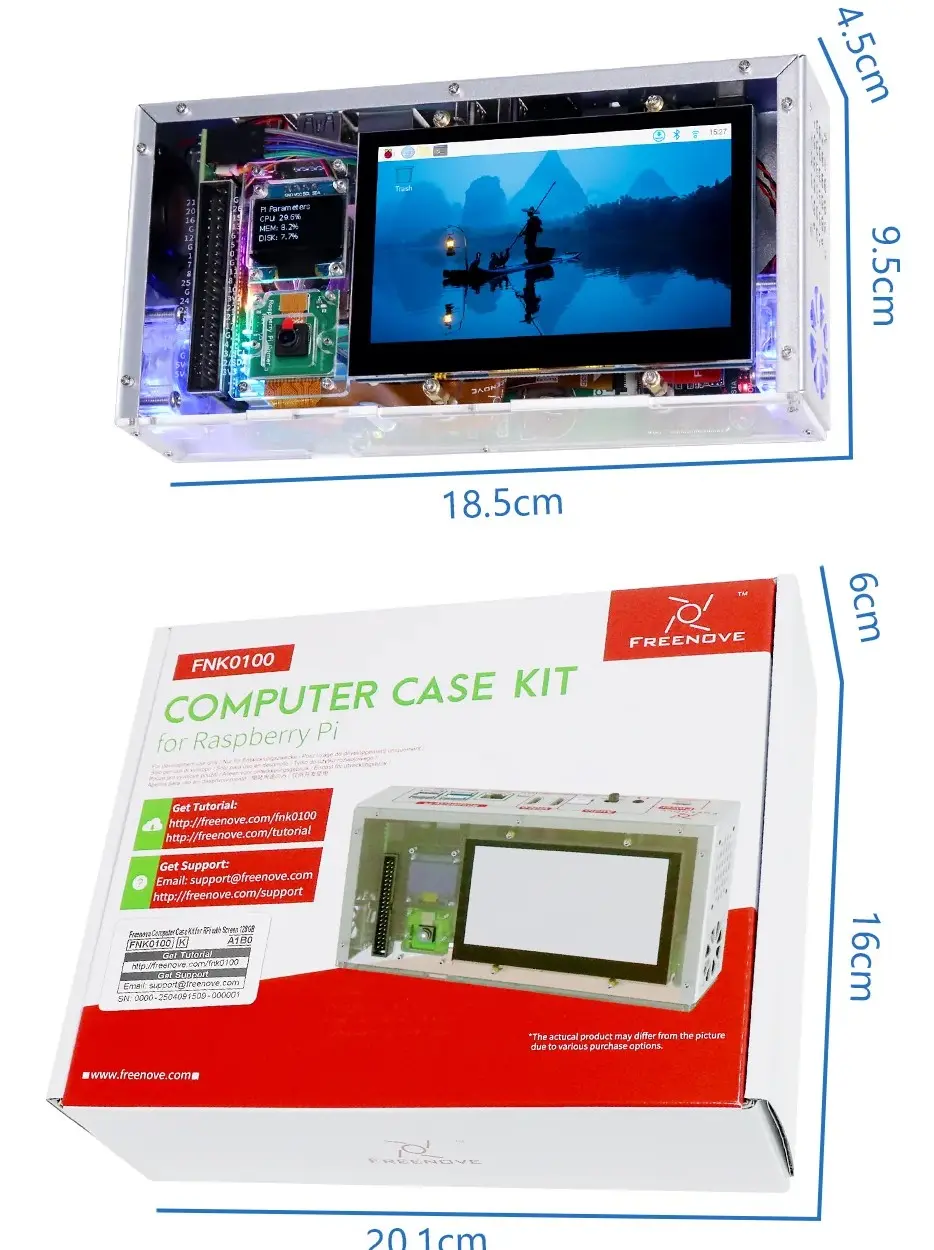
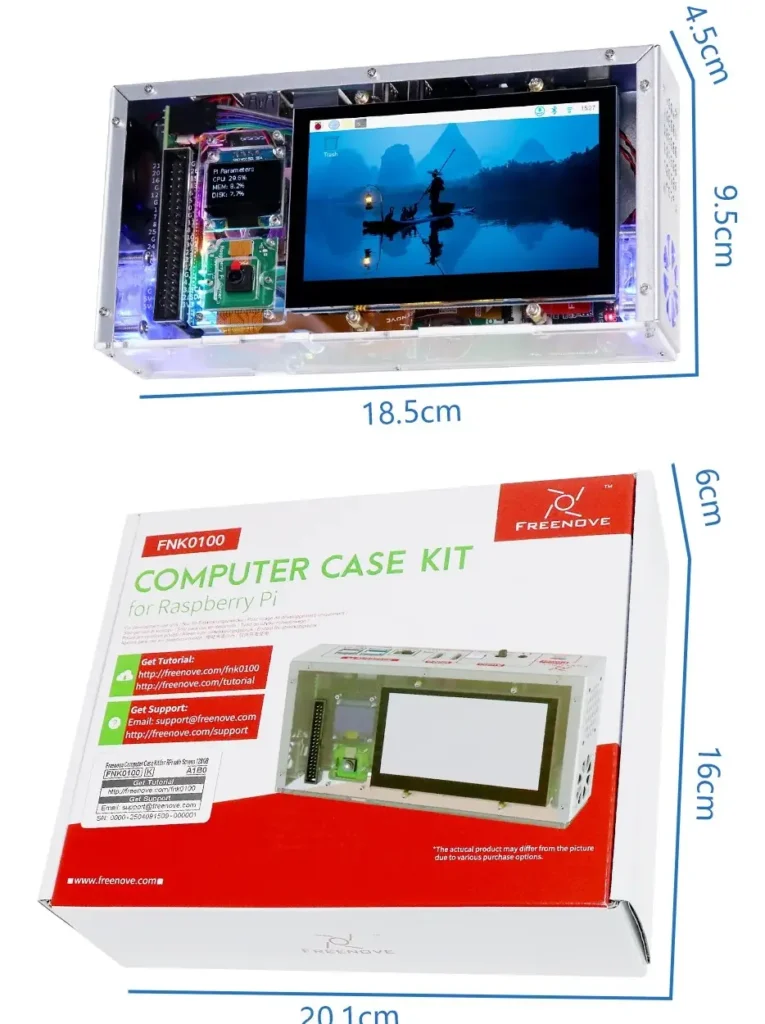
If you own a Raspberry Pi 5 and want to turn it into a proper mini desktop computer, the FREENOVE Raspberry Pi 5 case is one of the most complete upgrade kits available right now. In one box you get a 4.3-inch touchscreen, a 128GB NVMe SSD running at 800 MB/s, a 5MP camera, a secondary OLED status screen, stereo speakers, and both 3.5mm and optical audio outputs. I went through the full feature set and real-world use cases so you can decide if this kit fits your project before you buy.
Important note: This kit does NOT include the Raspberry Pi 5 board or its accessories. You need to supply your own Raspberry Pi 5 separately. This case is also compatible only with Raspberry Pi 5 and no other Pi models.
As an Amazon Associate, I earn from qualifying purchases #commissionsearned
► FREENOVE Raspberry Pi 5 case with Screen: Link (Amazon)
► Raspberry Pi 5 & Accessories: Link (Amazon)
For full official specifications, visit the FREENOVE Page.
What Is the FREENOVE Raspberry Pi 5 Case
The FREENOVE Raspberry Pi 5 case kit is an all-in-one enclosure that upgrades a bare Raspberry Pi 5 board into a functional mini desktop computer. Instead of buying a basic protective shell, this kit gives you a working display, fast storage, a camera, audio output, and a cooling system in a single purchase. As a result, it eliminates the need to source and wire multiple separate accessories — everything is integrated and designed to work together out of the box.
FREENOVE offers this kit in several configurations. The version reviewed here includes the 4.3-inch touchscreen and the 128GB NVMe SSD. Other options are available without the screen or without the SSD for buyers who already own compatible parts. Additionally, FREENOVE provides free technical support and a downloadable tutorial, which makes this kit accessible even for first-time Raspberry Pi builders.
Raspberry Pi 5 Case Key Features
4.3-Inch Touchscreen and OLED Status Display
The built-in 4.3-inch IPS touchscreen runs at 800 x 480 pixels with 5-point capacitive touch support. For a Raspberry Pi project, this is a genuinely useful display size — large enough to navigate a desktop interface comfortably, yet compact enough to keep the whole build portable. Specifically, it works well for running dashboards, coding environments, media players, and retro gaming setups. Furthermore, the display connects directly through the case without any additional wiring, which keeps the build clean.
A secondary 0.96-inch OLED screen sits on the case exterior and displays system stats at 128 x 64 pixel resolution. This small screen shows CPU temperature, memory usage, and other status information at a glance without needing to interact with the main display. Consequently, it functions as a practical monitoring panel for home lab and server-style builds where you want quick status visibility without opening a terminal.
128GB NVMe SSD at 800 MB/s
The included 128GB M.2 NVMe SSD is one of the most impactful upgrades this kit offers. The Raspberry Pi 5 Case supports PCIe-based NVMe storage natively, and the speed difference over a standard microSD card is dramatic. A typical microSD card reads at around 90 to 100 MB/s. This SSD delivers up to 800 MB/s — roughly eight times faster. In practice, boot times drop from around 30 seconds to under 10 seconds. Additionally, application loading, file transfers, and operating system responsiveness all improve noticeably. For anyone who has experienced the sluggishness of a microSD-based Pi setup, this upgrade alone justifies the kit.
The SSD slot is compatible with M.2 NVMe drives in PCIe 2.0 or 3.0, sizes 2230 through 2280. However, it is not compatible with M.2 SATA SSDs — an important distinction to note if you are supplying your own drive instead of using the included 128GB option.
5MP Camera, Audio, and Cooling System
The integrated 5MP camera mounts directly to the case without any separate mounting hardware or ribbon cable management. For projects involving computer vision, video recording, or surveillance applications, having the camera pre-positioned and wired is a real time saver. The audio system includes built-in stereo speakers with a physical on/off switch, a 3.5mm headphone jack, and optical audio output via S/PDIF — a combination that is unusually complete for a case at this price point.
Active cooling runs through two built-in fans with automatic temperature control. The system monitors CPU temperature and adjusts fan speed accordingly, which keeps the Pi running at stable performance during sustained workloads. Programmable RGB lighting adds visual customization for builders who want their setup to look the part alongside other gear.
Real-World Performance
In real-world use, the FREENOVE Raspberry Pi 5 case transforms the Pi experience more than almost any other single accessory purchase. The NVMe SSD makes the biggest difference day to day — everything from booting Raspberry Pi OS to launching applications feels closer to a budget desktop computer than a microcontroller project. For coding, running home automation software, or hosting a personal server, the speed improvement is immediately noticeable.
The touchscreen works reliably for navigating the Raspberry Pi OS desktop interface. It is not a high-resolution panel, and fine detail work is better suited to an external HDMI monitor. However, for dashboards, media playback, and project interfaces, the 4.3-inch display is more than capable. The stereo speakers are small but functional — suitable for notification sounds, retro game audio, and basic media playback without reaching for headphones.
One honest limitation worth flagging upfront: the tutorial is download-only with no paper documentation included. For complete beginners, the initial setup involves following a digital guide carefully. Moreover, the kit requires some assembly — it is not a plug-and-play product. Most users report the assembly process takes 30 to 60 minutes with the tutorial. Finally, because this kit is only compatible with Raspberry Pi 5, anyone running an older Pi model will need to upgrade their board before this case is useful.
Pros and Cons
Pros
- All-in-one kit eliminates the need to source multiple separate Raspberry Pi accessories
- 128GB NVMe SSD at 800 MB/s delivers up to 8x faster speeds than a microSD card
- 4.3-inch IPS touchscreen with 5-point capacitive touch is genuinely usable for desktop navigation
- Dual display setup — touchscreen plus OLED status panel — covers both interaction and monitoring
- Integrated 5MP camera requires no additional mounting or cable management
- Audio system includes stereo speakers, 3.5mm jack, and optical S/PDIF output
- Active cooling with automatic temperature control keeps the Pi stable under sustained load
- Free technical support and downloadable tutorial included from FREENOVE
Cons
- Raspberry Pi 5 board is NOT included — must be purchased separately
- Compatible only with Raspberry Pi 5 — no support for any other Pi model
- Tutorial is download-only — no printed documentation in the box
- Requires 30 to 60 minutes of assembly — not a plug-and-play product
- 800 x 480 touchscreen resolution is limited for detail-heavy work — an external monitor is better for those tasks
- Not compatible with M.2 SATA SSDs — NVMe only
Who Should Buy the FREENOVE Raspberry Pi 5 Case
This kit is the right choice for Raspberry Pi 5 owners who want a complete functional upgrade in one purchase. Specifically, it suits makers building home automation systems, personal dashboards, retro gaming setups, or portable coding stations who want a clean, integrated build without sourcing every component separately. The NVMe SSD alone makes this worth considering for anyone frustrated by microSD card performance.
It is not the right fit for complete beginners who have never assembled a Raspberry Pi project — the assembly process and download-only tutorial assume some familiarity with the platform. Similarly, if you already own a touchscreen, SSD, and camera for your Pi, buying individual accessories separately may be more cost-effective than this all-in-one kit.
Overall, the FREENOVE Raspberry Pi 5 case is one of the most practical and complete upgrade kits available for the Pi 5 platform in 2025. It earns a clear recommendation for makers who want to maximize their Pi without spending hours sourcing and integrating separate parts.
For more on setting up your Raspberry Pi build, check out our tech accessories guide on the site.
For official product details and purchasing options, visit the FREENOVE official store page.
Frequently Asked Questions
Does this kit include the Raspberry Pi 5 board?
No. The FREENOVE Raspberry Pi 5 case kit does not include the Raspberry Pi 5 board or any of its accessories. You need to purchase the Pi 5 board separately and supply your own power supply, microSD card or use the included SSD for storage. The case is also only compatible with Raspberry Pi 5 — no other Pi models will fit.
How much faster is the NVMe SSD compared to a microSD card?
Significantly faster. A standard microSD card reads at around 90 to 100 MB/s. The included 128GB NVMe SSD delivers up to 800 MB/s — roughly eight times the read speed. In practice, boot times drop from around 30 seconds to under 10 seconds. Application loading and file operations feel noticeably more responsive as a result. For anyone who has used a Pi on a microSD card, the difference is immediately apparent.
Can I use my own NVMe SSD with this case?
Yes. The case supports M.2 NVMe SSDs in PCIe 2.0 or 3.0 standard, in sizes 2230, 2242, 2260, and 2280. However, it is not compatible with M.2 SATA SSDs — this is an important distinction since both use the same physical connector. Check your drive’s specification carefully before assuming compatibility. The kit is also available in a version without the included SSD at a lower price if you prefer to supply your own.
How difficult is the assembly process?
Moderate. Most users report the assembly takes between 30 and 60 minutes following the downloadable tutorial. The process involves installing the Pi board into the case, connecting the screen ribbon cable, seating the SSD, and securing the camera module. FREENOVE provides free technical support if you run into issues. The kit is not difficult for anyone with basic maker or electronics experience, but complete beginners should expect a learning curve during their first build.
What can I do with this Raspberry Pi 5 case setup?
The combination of touchscreen, SSD, camera, and audio makes this kit suitable for a wide range of projects. Common use cases include home automation dashboards, personal media servers, retro gaming consoles, portable coding stations, security camera systems, and home lab monitoring setups. The NVMe SSD makes the Pi fast enough to handle these workloads comfortably, and the integrated display means you can interact with the system without connecting an external monitor for many tasks.
As an Amazon Associate, I earn from qualifying purchases #commissionsearned
► FREENOVE Raspberry Pi 5 Case with Screen: Link (Amazon)
► Raspberry Pi 5 & Accessories: Link (Amazon)
For full official specifications, visit the FREENOVE Page.
Leave a Reply